WAV
Direct upload
No MP3 conversion needed
Upload a WAV file directly and turn recorded speech into editable text. Choose the language or use auto detect, then review uncertain phrases against the source audio.
Create an account when you start · 10 signup credits · No credit card required
START WITH THE RECORDING
Choose a WAV file below. You can set the language, speaker recognition, key terms, and transcript style before processing.
WAV
No MP3 conversion needed
99
Choose one or use auto detect
5 GB
Check large PCM files before upload
4
TXT, Markdown, SRT, and VTT
FOUR-STEP WORKFLOW
The same workspace carries the WAV recording from upload to an editable, downloadable transcript.
Choose one playable WAV file up to 5 GB. No MP3 conversion is required.
Select a language or auto detect, then add speaker recognition or key terms if useful.
Sign in, confirm the estimated credits, and let processing continue in the background.
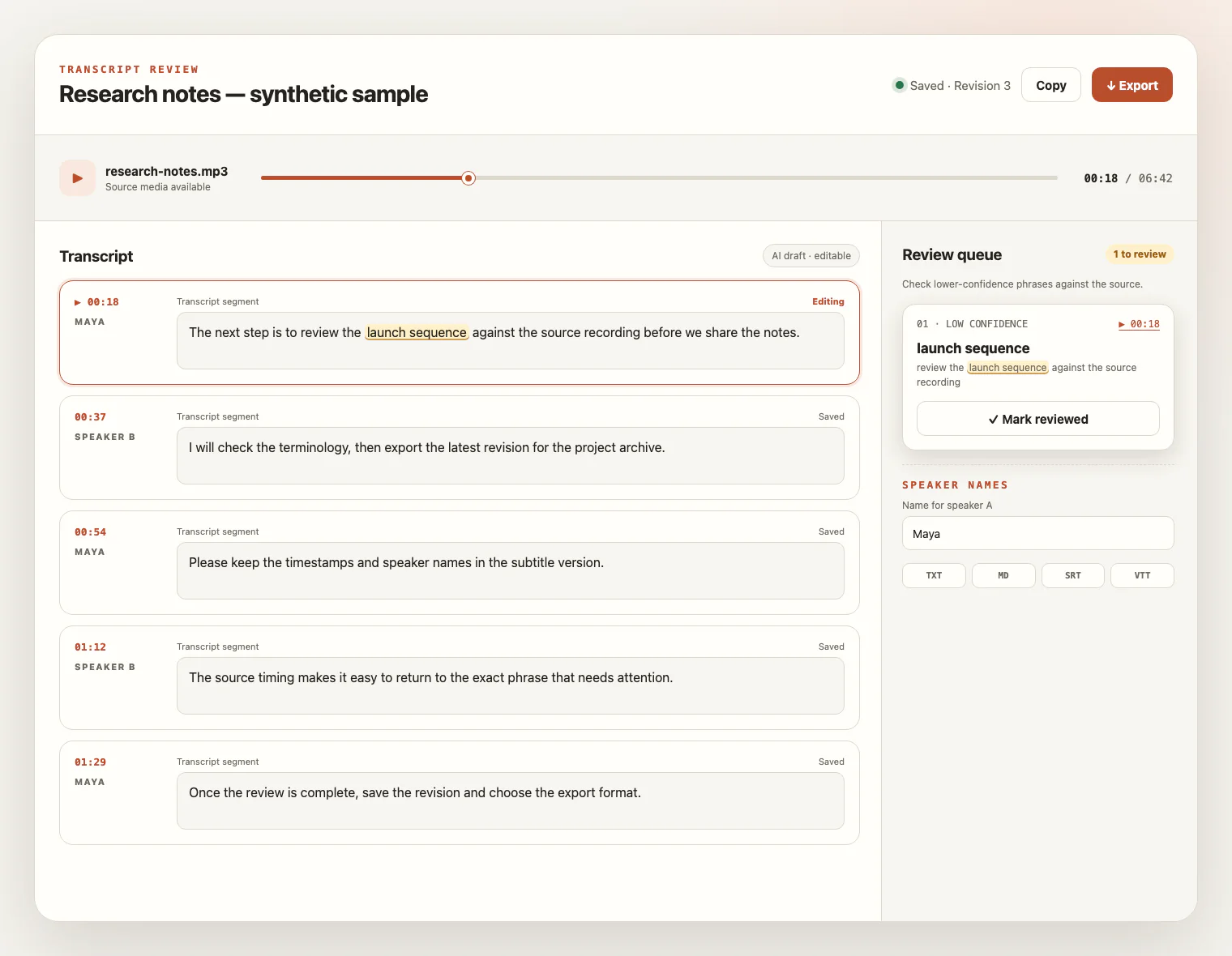
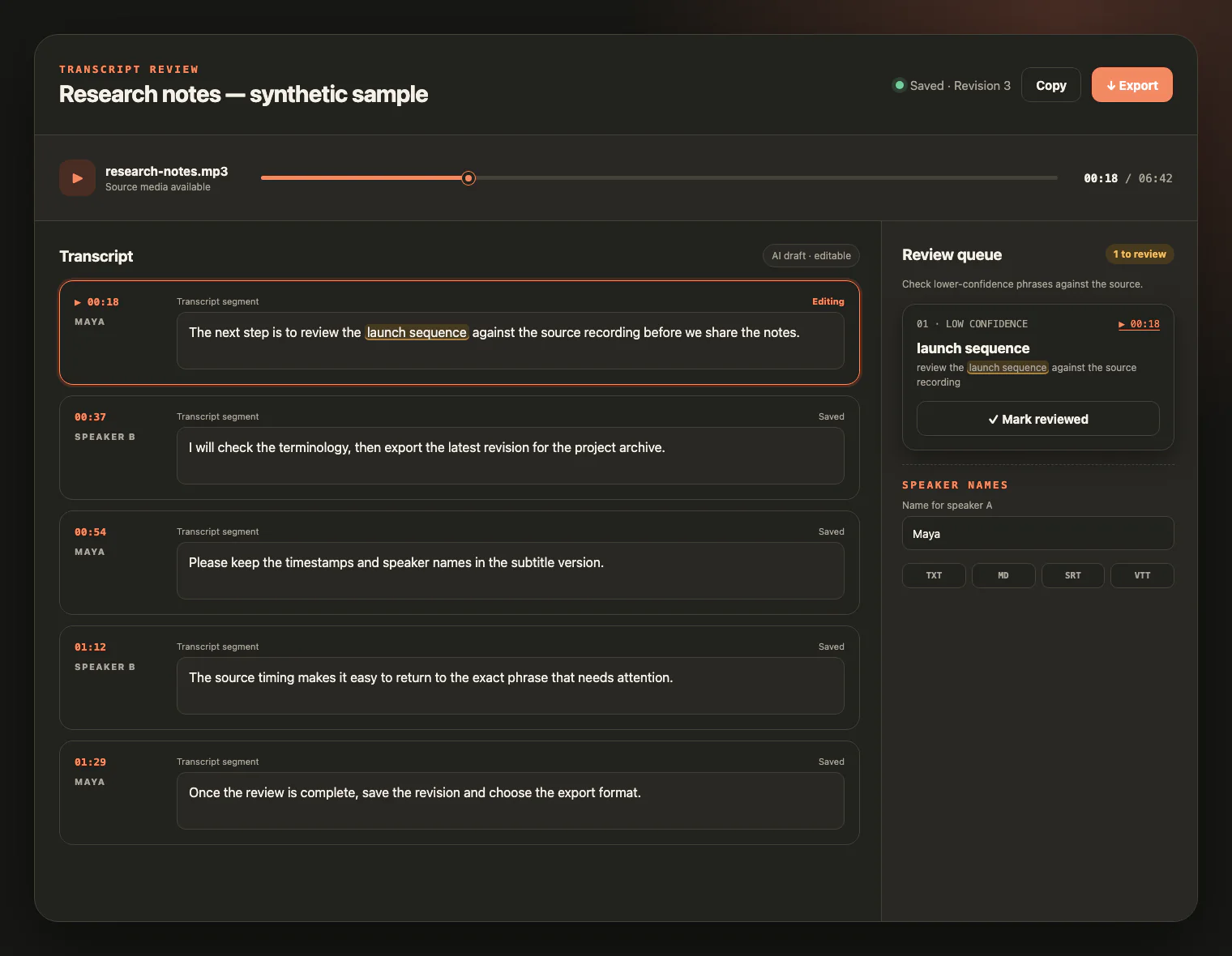
Check the draft against the recording, edit the text, and export TXT, Markdown, SRT, or VTT.
LISTEN, CHECK, EDIT
The WAV container preserves a recording; it does not remove uncertainty from the words. Replay the source beside the draft, inspect low-confidence wording, and save the corrections you need.
WAV FORMAT AND INPUT QUALITY
WAV describes a container, not a guarantee of clean audio. Use the clearest playable source available, check large files, and plan to review the draft against the recording.
Open the WAV before uploading it. The extension alone does not identify every codec or prove that the recording is intact.
Lossless or uncompressed audio cannot repair clipping, background noise, or detail that was removed from an earlier lossy source.
Place speakers close enough to the microphone and reduce overlapping speech when you control the recording.
Choose the spoken language and add important names or specialist terms as key terms, then verify them during review.
FROM RECORDING TO REFERENCE
WAV is common in recorders, editing tools, and archives where keeping a reviewable source matters.
Turn field-recorder or handheld-recorder audio into an editable source for research and quotation.
Make long-form room recordings searchable and organize the result with speaker labels you can rename.
Create working text or timed captions from spoken-word WAV exports without claiming audio editing or enhancement.
Build a reviewable transcript while the original recording remains available for source comparison.
WAV TRANSCRIPTION FAQ
Practical answers about WAV containers, file size, credits, review, exports, and source-file access.
Yes. WAV is accepted directly, so you can start with the recording you already have.
Usually no. Converting a WAV file to MP3 can make it smaller, but it is not required for transcription. Converting a lossy source back to WAV does not restore information that was already removed.
No. WAV is a container, and common PCM WAV files are often uncompressed, but the .wav extension alone does not guarantee a particular codec, sample rate, bit depth, or channel layout. Confirm that the file plays correctly before uploading it.
The per-file upload limit is 5 GB. Uncompressed PCM WAV recordings can be large, so check the file size before uploading one file at a time.
You create an account to start. New accounts receive 10 signup credits with no credit card required; one credit covers one minute of transcription.
The service supports 99 languages. Choose the spoken language or use automatic detection, and enable speaker recognition when separate speaker labels would help.
No format guarantees accuracy. A lossless or uncompressed container cannot repair clipping, background noise, distant voices, or overlapping speech. Add important names as key terms and review uncertain phrases against the source audio.
You can export TXT, Markdown, SRT, or VTT after the transcript is ready.
The source media remains available for review for up to seven days from task creation. Download any files you want to keep before that window ends; saved text remains available for review and export.
READY WHEN YOU ARE
Upload your WAV file, review the draft beside the source audio, and export a transcript you can keep working with.