Audio + video
Supported uploads
Use any playable format already accepted
Upload an existing meeting recording and turn the conversation into editable text. Set the language and speakers, then review uncertain phrases against the source before export.
Create an account when you start · 10 signup credits · No credit card required
START WITH THE RECORDING
Choose an existing meeting audio or video below. Set the spoken language, speaker recognition, context, key terms, and transcript style before processing.
Audio + video
Use any playable format already accepted
99
Choose one or use auto detect
5 GB
Upload one existing recording at a time
4
TXT, Markdown, SRT, and VTT
FOUR-STEP WORKFLOW
Use one workspace from an existing meeting recording to a reviewed transcript and export.
Choose one existing meeting audio or video file up to 5 GB in a format accepted by the shared workspace.
Choose the spoken language or auto detect, set a useful speaker range, and add participant names, context, or key terms.
Sign in, confirm the estimated credits, and let processing continue in the background.
Check wording and speaker labels against the source, save your edits, and export TXT, Markdown, SRT, or VTT.
LISTEN, IDENTIFY, CHECK
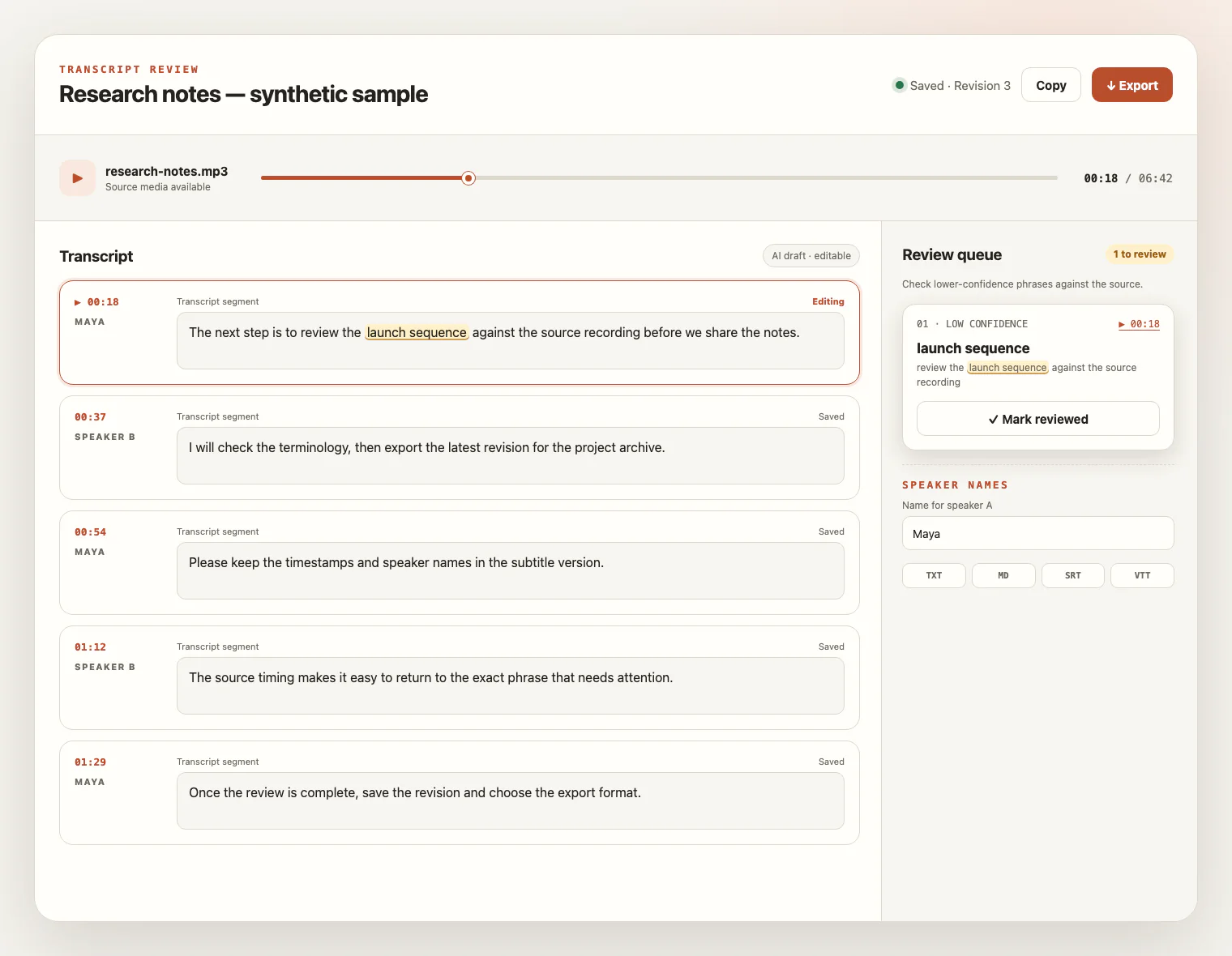
Keep the meeting source beside the draft. Replay uncertain wording, follow timestamps, verify speaker changes, rename labels, and save corrections before export.
BEFORE YOU UPLOAD
A meeting transcript depends on the speech captured in the file. Clear voices, realistic speaker settings, useful names and terms, and careful source review matter more than the meeting platform or file name.
Play the file first, confirm that the spoken audio is clear, and make sure you have the appropriate permission to record and upload the meeting.
A microphone near the participants, lower background noise, less echo, and fewer overlapping voices provide better evidence for words and speaker changes.
Choose the spoken language, set a realistic speaker range, and add participant names, acronyms, or specialist vocabulary as context and key terms.
For meeting videos, the transcript uses the spoken-audio track. Slides, chat, captions, participant lists, and frames remain outside the transcript.
FROM CONVERSATION TO WORKING TEXT
A reviewed meeting transcript makes recorded conversation easier to search, edit, quote, document, and caption without inventing automated minutes or follow-up tasks.
Create an editable record of what was said, then verify speaker labels and quote exact passages from the reviewed transcript.
Turn recorded reviews, research sessions, and working discussions into text that can be searched, edited, and cited.
Transcribe an exported audio or video file while keeping chat, slides, participant lists, and other visual-only details outside the result.
Use timestamps and source playback to check overlapping voices, rename speaker labels, and prepare readable text or timed captions.
MEETING TRANSCRIPTION FAQ
Practical answers about existing meeting recordings, speakers, audio quality, credits, review, exports, and source-media access.
Upload one audio or video file in any format already accepted by the shared transcription workspace. The file must be playable, non-empty, within 5 GB, and pass the existing type and duration checks.
No. This page transcribes an existing recording you upload. It does not join a call, capture a microphone, connect a calendar, or import a meeting URL or cloud recording.
Choose the spoken language or use automatic detection. If useful, enable speaker recognition and provide the expected speaker range; review the resulting labels because they do not verify anyone's identity.
Yes. Add useful context and key terms before processing, including participant names, product names, acronyms, or domain vocabulary, then verify those words in the draft.
Microphone distance, echo, background noise, uneven volume, and overlapping speech can increase wording and speaker-label errors. Replay uncertain parts against the source recording.
You create an account to start. New accounts receive 10 signup credits with no credit card required, and one credit covers one minute of transcription.
Yes. Play the retained source beside the transcript, follow timestamps, inspect uncertain phrases, rename speaker labels, edit segments, and save a revision.
Export TXT or Markdown for editable text, or SRT and VTT for timed transcript content. These exports do not automatically create a summary, meeting minutes, decisions, or action items.
No. The transcript comes from the playable spoken-audio track. Screen text, slides, chat, participant lists, embedded captions, and video frames are not read or extracted.
The source media remains available for review for up to seven days from task creation and can be deleted sooner. Saved text remains available for review and export after the source expires or is deleted.
YOUR MEETING, READY TO REVIEW
Upload an existing meeting recording, review speaker labels and uncertain phrases beside the source, then export the transcript you need.