Audio + video
Recorded files
Upload one supported audio or video file. Video transcription uses its spoken audio track.
Turn recorded interview audio or video into editable text. Review quotes against the source, rename speakers, and export TXT, Markdown, SRT, or VTT.
For recorded files you have the right to process. Starting transcription requires an account and credits.
Work with the real tool
Use the same audio-and-video workbench as the rest of the product. It keeps the shared file rules, language options, speaker settings, credit checks, and review flow.
Audio + video
Upload one supported audio or video file. Video transcription uses its spoken audio track.
99
Choose the language or use automatic detection before the interview is submitted.
Optional
Ask the workflow to separate voices, then review and rename the resulting speaker labels.
4 formats
Save revisions and export TXT, Markdown, SRT, or VTT for the next stage of your work.
Four grounded steps
One path from an existing recording to an editable, source-checkable transcript—without a meeting bot or a separate interview workflow.
Upload one supported audio or video file, up to the current 5 GB single-file limit.
Choose the spoken language or auto-detect, optionally enable speaker detection, and add context or key terms.
Sign in and use credits to submit the file through the existing upload and transcription workflow.
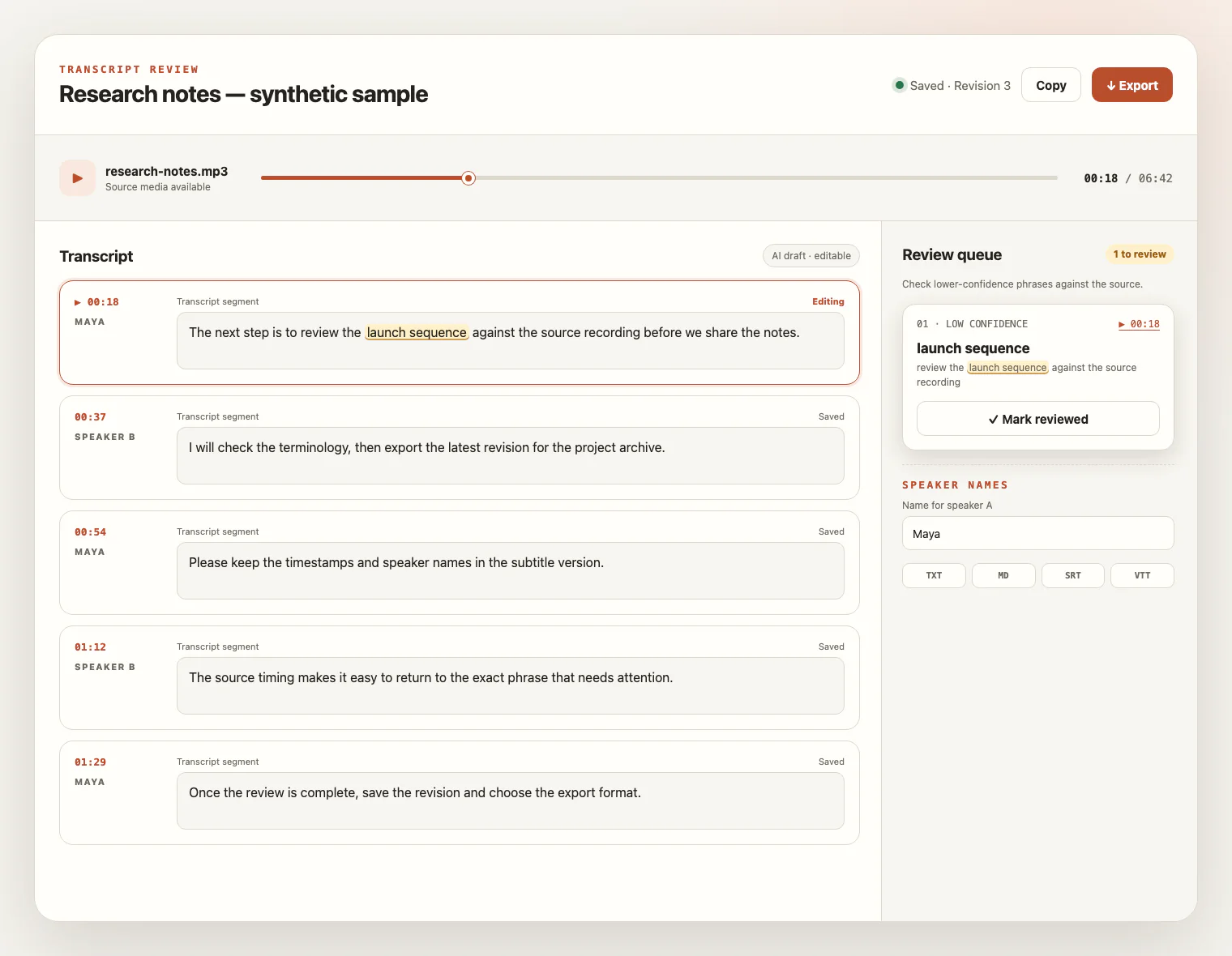
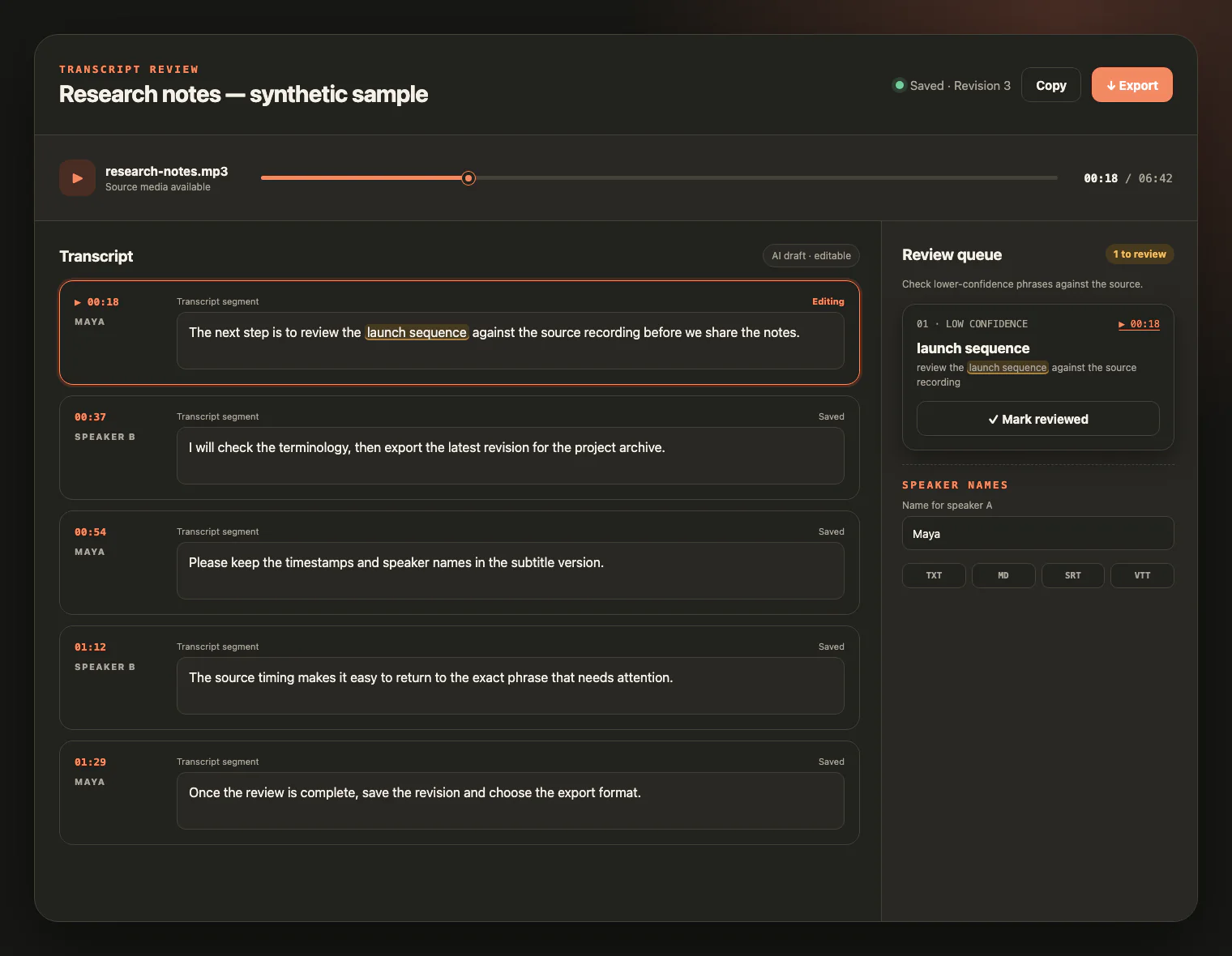
Compare the draft with the source, correct words and speaker labels, save revisions, then export the format you need.
Review before reuse
A transcript can make an interview searchable without making every word or attribution certain. Use timestamps and the source player to check what matters.
Before the interview
Small recording choices make the later review more efficient, without turning quality guidance into an accuracy guarantee.
Check that the recorder is running, the file is playable, and the microphone captures every participant before the conversation begins.
Keep microphones at a stable distance, reduce echo and background music, and avoid speaking over one another when possible.
Select the main language or use automatic detection. A video’s picture quality does not improve recognition of its audio track.
Use context and key terms for people, organizations, products, abbreviations, and specialist vocabulary, then still verify the spelling.
Where the transcript helps
Different interviews lead to different decisions. The product supplies reviewable text, not an automatic conclusion.
Build searchable working material for qualitative review while keeping coding, interpretation, and methodology with the researcher.
Locate answers and prepare quotations, then verify wording, attribution, facts, and context before publication.
Create a reviewable record of a recorded conversation without scoring candidates or inferring protected traits.
Organize what participants actually said while leaving synthesis and product decisions to the team.
Create an editable transcript that stays connected to the voice, timing, and context of the source recording.
Responsible handling
Interview material can contain personal, confidential, or consequential information. Keep authority and human judgment in the workflow.
Interview transcription FAQ
Practical answers about recorded files, speakers, quote review, retention, and responsible handling.
You can upload one supported audio or video file from the shared file picker, up to 5 GB. The page does not record live interviews, join calls, or import a remote URL.
Yes. A supported video file follows the same workflow, and the transcript is created from its spoken audio track rather than faces, frames, slides, or on-screen text.
You can prepare the file and settings first. Starting processing requires an account and enough credits; one credit covers one minute of media duration, and a new account currently receives 10 signup credits.
Speaker detection can separate voices into generic labels, but it does not verify names, identities, or interview roles. Review the source and rename labels yourself.
Overlapping speech, room echo, background noise, distant microphones, and similar voices can affect words and speaker boundaries. Review those passages against the recording.
Treat the transcript as a working draft. Replay the source to confirm wording, punctuation, speaker attribution, timing, and surrounding context before publishing or making an important decision.
No. It transcribes spoken content and supports review and export; it does not generate a summary, translate the interview, code themes, score candidates, infer sentiment, or fact-check claims.
Export saved revisions as TXT or Markdown for working text, or SRT and VTT when transcript timing is useful. Exports do not certify quote accuracy or speaker identity.
Completed source media is available for review for up to seven days from task creation and can be deleted earlier. Saved text remains available for review and export after the source expires or is deleted.
You are responsible for having the right to record, upload, and process the interview and for checking any notice or consent required by participants, your organization, and the rules that apply to you. This page does not provide a legal determination.
Ready when the recording is
Upload a recorded interview, keep the source close for review, and shape the transcript into dependable working material.