MOV
Direct upload
No MP4 conversion or audio extraction
Upload a MOV from a phone, camera, QuickTime recording, or video editor and turn its spoken audio into editable text. Review uncertain phrases against the source video, then export text or timed captions.
Create an account when you start · 10 signup credits · No credit card required
START WITH THE VIDEO
Choose a MOV with the supported video/quicktime identity and audible speech below. Set the spoken language, speaker recognition, context, key terms, and transcript style before processing.
MOV
No MP4 conversion or audio extraction
99
Choose one or use auto detect
5 GB
Upload one video at a time
4
TXT, Markdown, SRT, and VTT
FOUR-STEP WORKFLOW
Use one workspace from direct MOV upload to source-video review and export.
Choose one MOV up to 5 GB with the supported video/quicktime identity and an audible speech track. No MP4 conversion or audio extraction is required.
Select a spoken language or auto detect, then add speaker recognition, context, or key terms if useful.
Sign in, confirm the estimated credits, and let processing continue in the background.
Check the draft against the source video, edit the text, and export TXT, Markdown, SRT, or VTT.
WATCH, LISTEN, CHECK
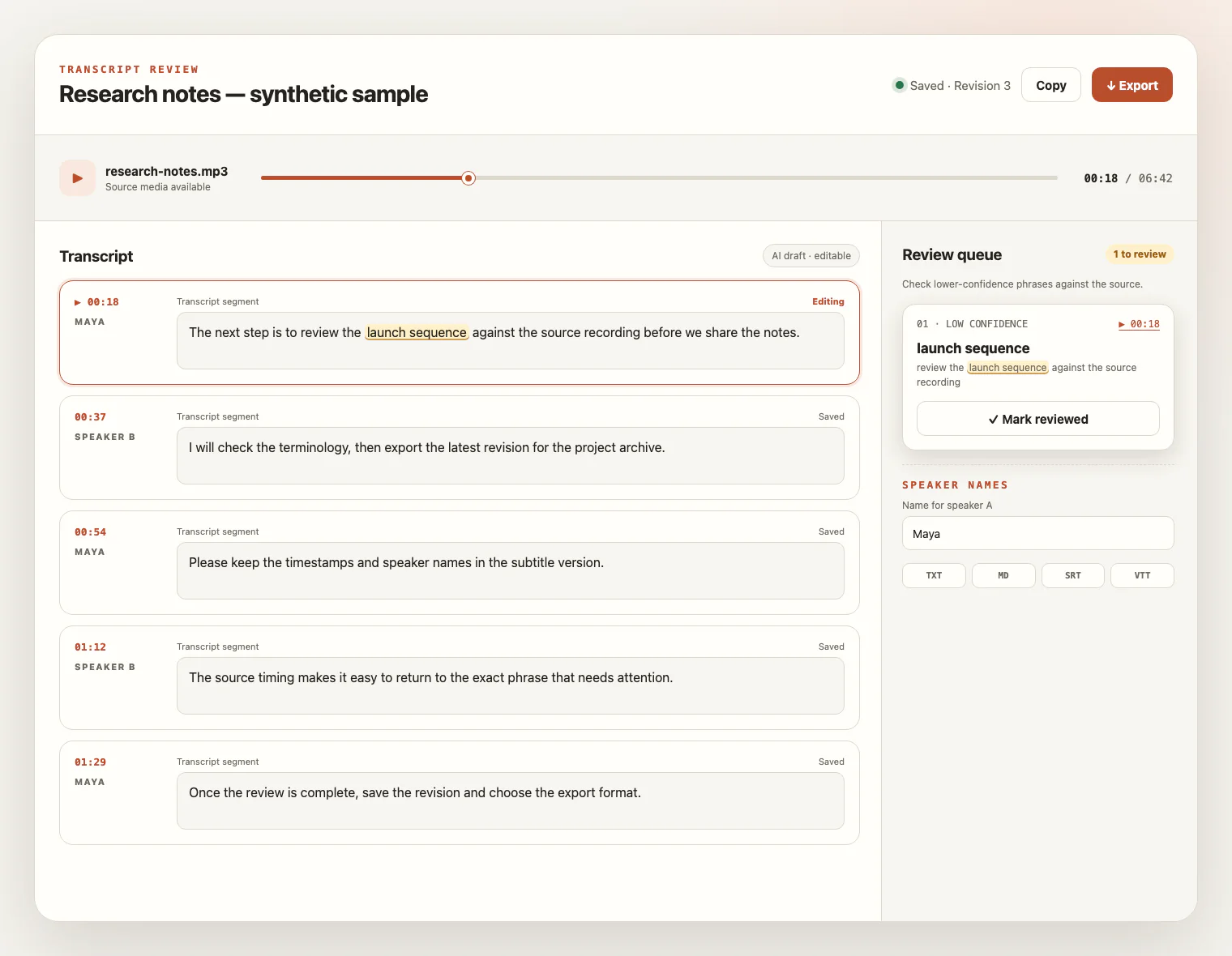
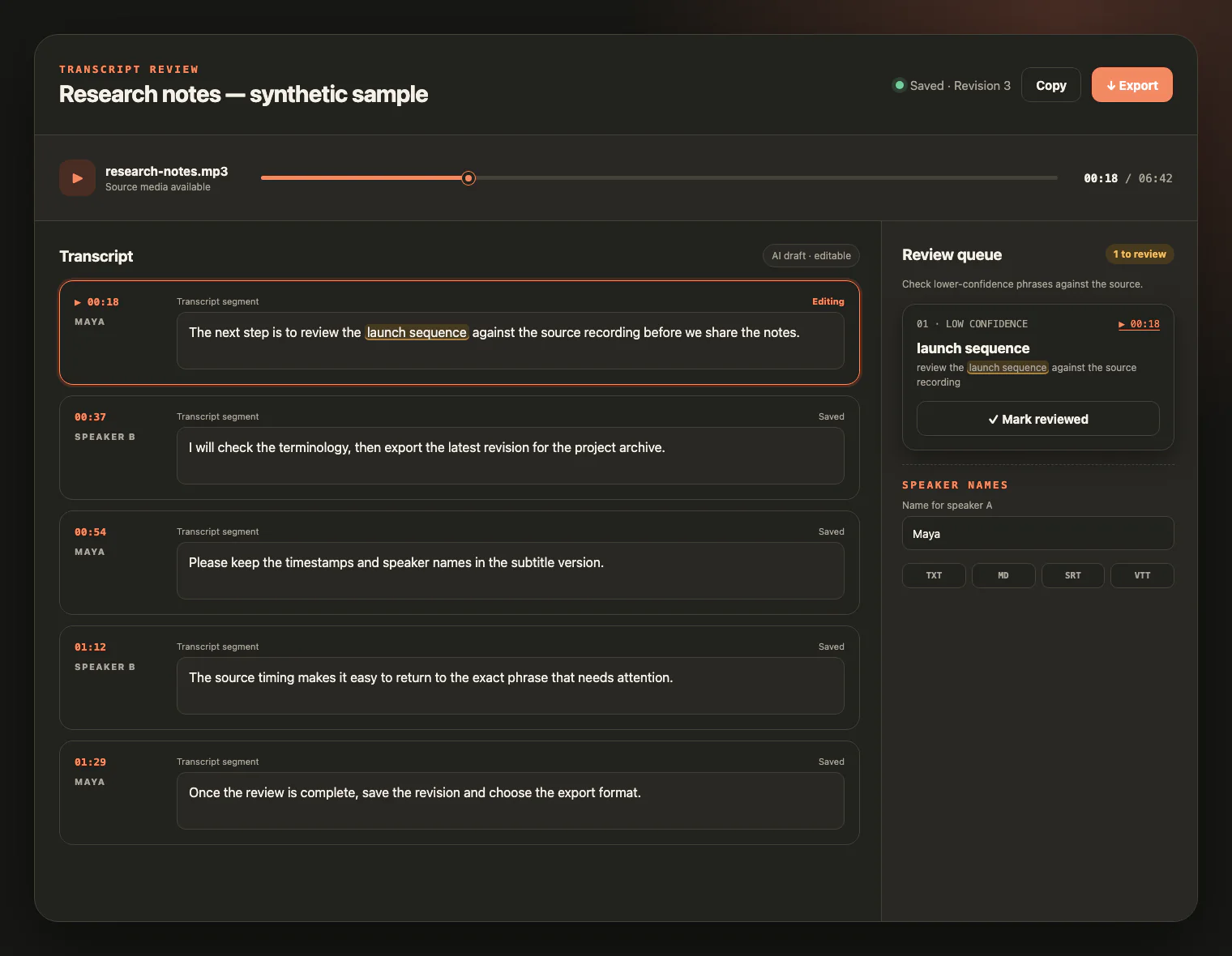
Keep the MOV source beside the draft. Replay uncertain wording, follow timestamps, rename speakers, and save corrections before export.
CONTAINER, AUDIO TRACK, SPEECH
MOV identifies a QuickTime media container, not a guaranteed codec or transcript quality. The workflow listens to the audio track instead of reading frames, so clear speech matters more than camera resolution or orientation.
Play the MOV before uploading and confirm that voices are audible. A silent clip, music bed, or visual-only sequence does not provide speech to transcribe.
Phones, cameras, QuickTime, and editors can place different codecs inside MOV. The file still needs the supported video/quicktime identity and readable ISO Base Media duration metadata.
Voice level, microphone distance, background noise, music, and overlapping speakers matter more than resolution, frame rate, or portrait versus landscape video.
Use the source app to export an unprotected, playable video with an audible track and keep it within 5 GB. Transcribe to Text does not convert or repair the media for you.
FROM CAPTURE TO WORKING TEXT
A MOV transcript makes speech from phone, camera, QuickTime, and editing workflows easier to search, edit, quote, document, and caption without claiming to analyze the picture.
Turn spoken interviews, field recordings, and camera clips into searchable text while checking details against the original video.
Convert narrated screen or webcam recordings into an editable transcript with timing and speaker labels.
Review the spoken track from an editing export before preparing notes, documentation, or timed captions.
Reuse what was actually said; visual-only slide text stays outside the transcript unless you add it manually.
MOV TRANSCRIPTION FAQ
Practical answers about QuickTime containers, phone and camera exports, audio tracks, codec variability, credits, exports, and source-video access.
Yes. A MOV with the supported video/quicktime identity can be uploaded directly when it passes type, size, and duration validation, so you do not need to convert it to MP4 or extract its audio first.
MOV is a QuickTime media container commonly produced by phones, cameras, screen recorders, and video editors. Its source and extension do not guarantee the codecs inside, so confirm the exported file plays and contains an audible speech track.
No. MOV is a container, not a codec. The file must pass the existing video/quicktime, size, and ISO Base Media duration checks; this page does not transcode, repair, or unlock protected media.
No. The workflow transcribes spoken audio. Slides, screen text, charts, silent scenes, embedded captions, and burned-in captions are not read with OCR or visual analysis.
A video without clear speech may produce little text or no usable transcript. Visual content is not used to fill in words that are missing from the audio track.
The per-file upload limit is 5 GB. Upload one video at a time; higher resolution can increase file size without improving speech recognition.
The service supports 99 languages. New accounts receive 10 signup credits with no credit card required, and one credit covers one minute of transcription.
Yes. During the retention window, play the source video beside the transcript, inspect uncertain phrases, rename speakers, and save edits. Export TXT or Markdown for editable text, or SRT and VTT for transcript timing; exports do not extract existing captions, generate a summary, or translate the video.
The source video remains available for review for up to seven days from task creation and can be deleted sooner. Saved text remains available for review and export.
YOUR VIDEO, READY TO READ
Upload a MOV, review the transcript beside the source video, and export editable text or timed captions.