M4A
Direct upload
No MP3 or WAV conversion needed
Upload an M4A recording directly—including an exported iPhone Voice Memo—and turn spoken audio into editable text. Review uncertain phrases against the source before export.
Create an account when you start · 10 signup credits · No credit card required
START WITH THE RECORDING
Choose a playable M4A recording below. Set the spoken language, speaker recognition, context, key terms, and transcript style before processing.
M4A
No MP3 or WAV conversion needed
99
Choose one or use auto detect
5 GB
Upload one playable file at a time
4
TXT, Markdown, SRT, and VTT
FOUR-STEP WORKFLOW
Use one workspace from direct M4A upload to source-backed review and export.
Choose one playable, unprotected M4A file up to 5 GB. No MP3 or WAV conversion is required.
Select a language or auto detect, then add speaker recognition, context, or key terms if useful.
Sign in, confirm the estimated credits, and let processing continue in the background.
Check the draft against the source, edit the text, and export TXT, Markdown, SRT, or VTT.
LISTEN, CHECK, EDIT
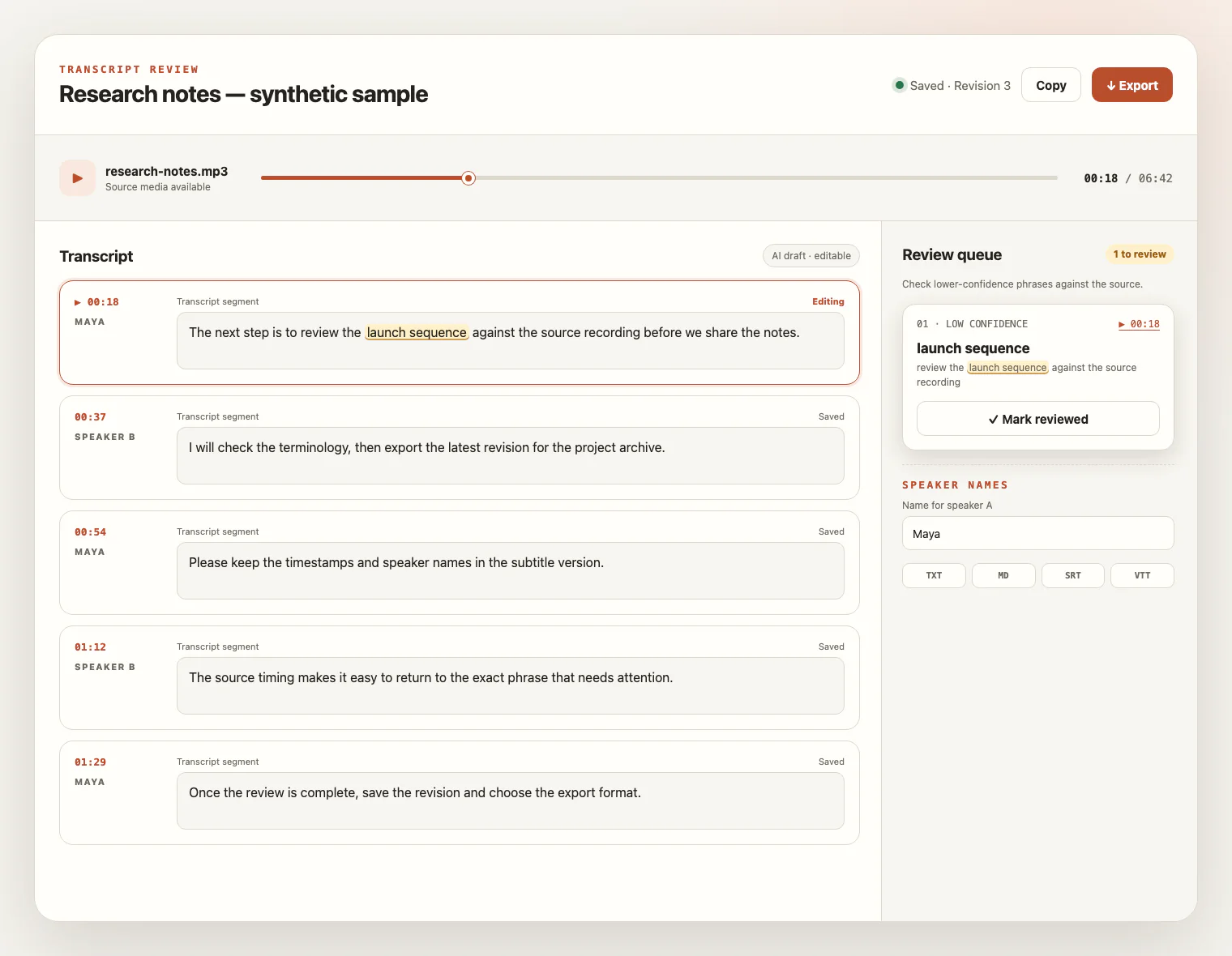
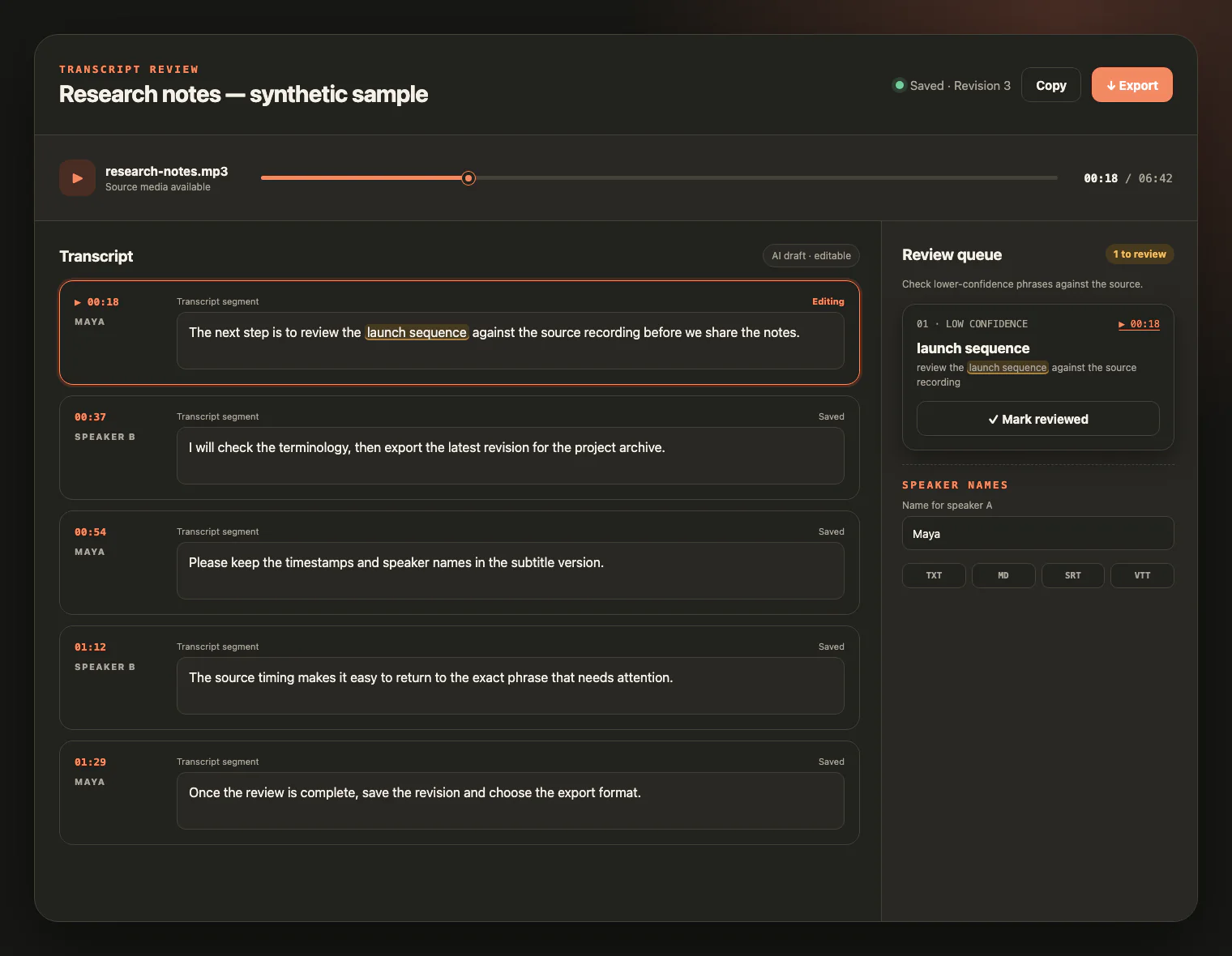
Keep the M4A source beside the draft. Replay uncertain wording, inspect low-confidence phrases, rename speakers, and save corrections before export.
CONTAINER, CODEC, RECORDING
M4A describes an MPEG-4 audio container, not a promise about the codec or recording quality. Converting between M4A, MP3, and WAV does not restore information or improve recognition quality. Start with a playable, unprotected source and review the draft against the audio.
M4A commonly contains AAC or ALAC audio, but the extension alone does not guarantee either codec or support for every file.
Confirm the recording plays outside its original app. Protected media and DRM removal are not supported.
Microphone distance, background noise, clipping, and overlapping voices matter more than the filename or a fixed bitrate.
Recognized M4A MIME labels are normalized for upload, while unknown labels, mismatched extensions, and unreadable media are rejected.
FROM VOICE MEMO TO WORKING TEXT
M4A is common in phones, recorders, and media apps. A transcript makes the spoken content easier to search, edit, quote, and caption.
Move exported voice notes, reminders, and interviews into editable text you can search and organize.
Turn recorded discussions into searchable notes with speaker labels you can review and rename.
Check quotations against the source recording and export a clean working transcript.
Create working text or timed captions from an authorized M4A source without claiming audio repair or enhancement.
M4A TRANSCRIPTION FAQ
Practical answers about M4A containers, codecs, browser MIME labels, credits, exports, and source-file access.
Yes. Playable M4A recordings are accepted directly, so you usually do not need to convert them to MP3 or WAV first.
Yes. Export or share the Voice Memo as an M4A file, then upload it here. Confirm that the exported file plays and is not protected media.
M4A is an MPEG-4 audio container commonly used with AAC or ALAC, but the extension alone does not guarantee a codec. Not every codec or damaged file is supported.
Browsers may label an M4A as audio/mp4, audio/x-m4a, audio/m4a, or audio/mpeg4. Those recognized labels are handled as audio/mp4 for upload; an unknown type is rejected rather than trusted.
No DRM removal is provided. Export an unprotected recording you are authorized to use before uploading it.
The per-file upload limit is 5 GB. Upload one playable audio or video file at a time.
The service supports 99 languages. New accounts receive 10 signup credits with no credit card required, and one credit covers one minute of transcription.
You can review and edit the result, then export TXT, Markdown, SRT, or VTT. Summary and translation are not included in this workflow.
The source media remains available for review for up to seven days from task creation. Download anything you want to keep before that window ends; saved text remains available for review and export.
YOUR RECORDING, READY TO READ
Upload an M4A recording, review the transcript beside the source audio, and export text or captions you can keep working with.